
Create a VibeSpace
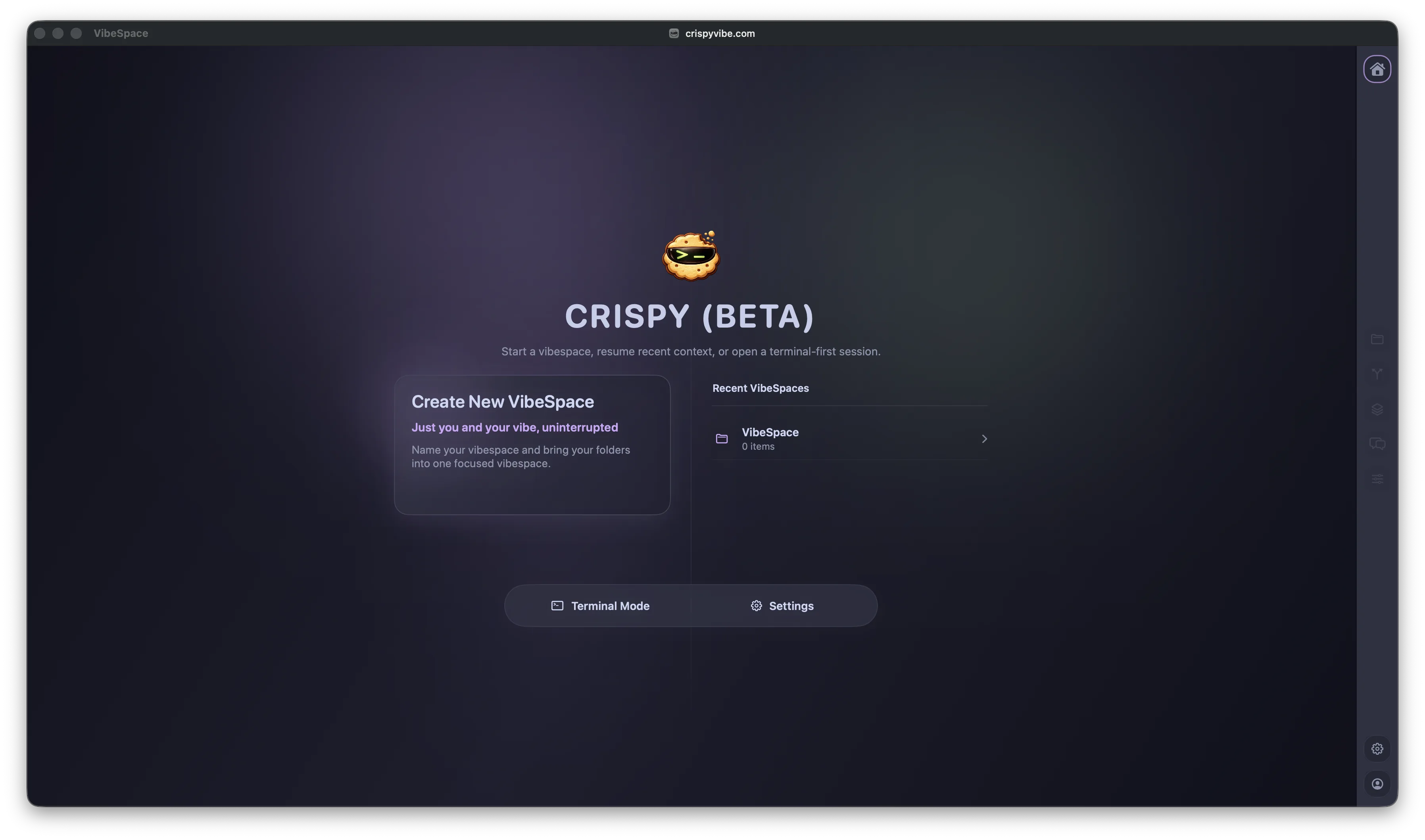
A persistent container holding projects, terminals, browser tabs, agent conversations, git state, and layout preferences.
Run Claude Code, Codex, Kiro, Gemini CLI, OpenCode, and GitHub Copilot CLI in persistent VibeSpaces with terminal sessions, ACP chats, browser panes, git, Markdown, and HTML. Open source on GitHub.
Dallas, May 20, 2026
Developers who use multiple AI coding agents (Codex, Claude Code, Kiro, Gemini) must manage separate applications, separate contexts, and separate conversation histories that do not persist across sessions. The IDEs available to unify this experience are VS Code forks built on Electron, several of which add token marketplaces, telemetry, and proprietary integrations that do not interoperate. No existing IDE supports multiple AI agents from different vendors in a single persistent workspace without requiring an account or collecting usage data.
CrispyVibe is a macOS IDE written in Swift, SwiftUI, and AppKit. It shares no code with VS Code or Electron. It introduces VibeSpaces: persistent workspaces that hold projects, GPU-accelerated terminals, ACP agent conversations, browser panes, and git integration. Developers bring whatever agents they already use (Kiro CLI, Claude Code, Codex, Gemini CLI, OpenCode, GitHub Copilot CLI, or custom agents) and run them as dedicated workspace tiles with persistent conversation history. Terminal sessions are backed by tmux and survive application restarts. SSH remote projects use the same surfaces as local projects within the same workspace. Markdown and HTML, the native output format of AI agents, render in place with direct editing, eliminating the split between source and preview that other IDEs require. The same in-place document workspace extends to LaTeX (compiled offline with a local TeX engine), Jupyter notebooks, Typst, AsciiDoc, and Graphviz diagrams, and offline whiteboards. Agents can programmatically control the IDE through the built-in crispy CLI, opening files, managing terminals, driving browser panels, and inspecting workspace topology. CrispyVibe is free, contains no ads, no in-app purchases, and no paid tiers. It makes no network requests beyond update checks and user-initiated connections. All workspace data is stored locally.
Credits: 100% of CrispyVibe's code is developed with AI. Kiro CLI is the daily driver for CrispyVibe development — from spec-driven feature design to implementation and testing. Thanks to AWS for supporting the vibe.
"Every other tool wanted me on their platform. I wanted them all on mine. One native app, all my agents, sessions that survive restarts, no tokens, no telemetry, no account. Just me and my vibe."
Manu Mishra, Creator CrispyVibe · Read the full story
How It Works
A persistent container holding projects, terminals, browser tabs, agent conversations, git state, and layout preferences.
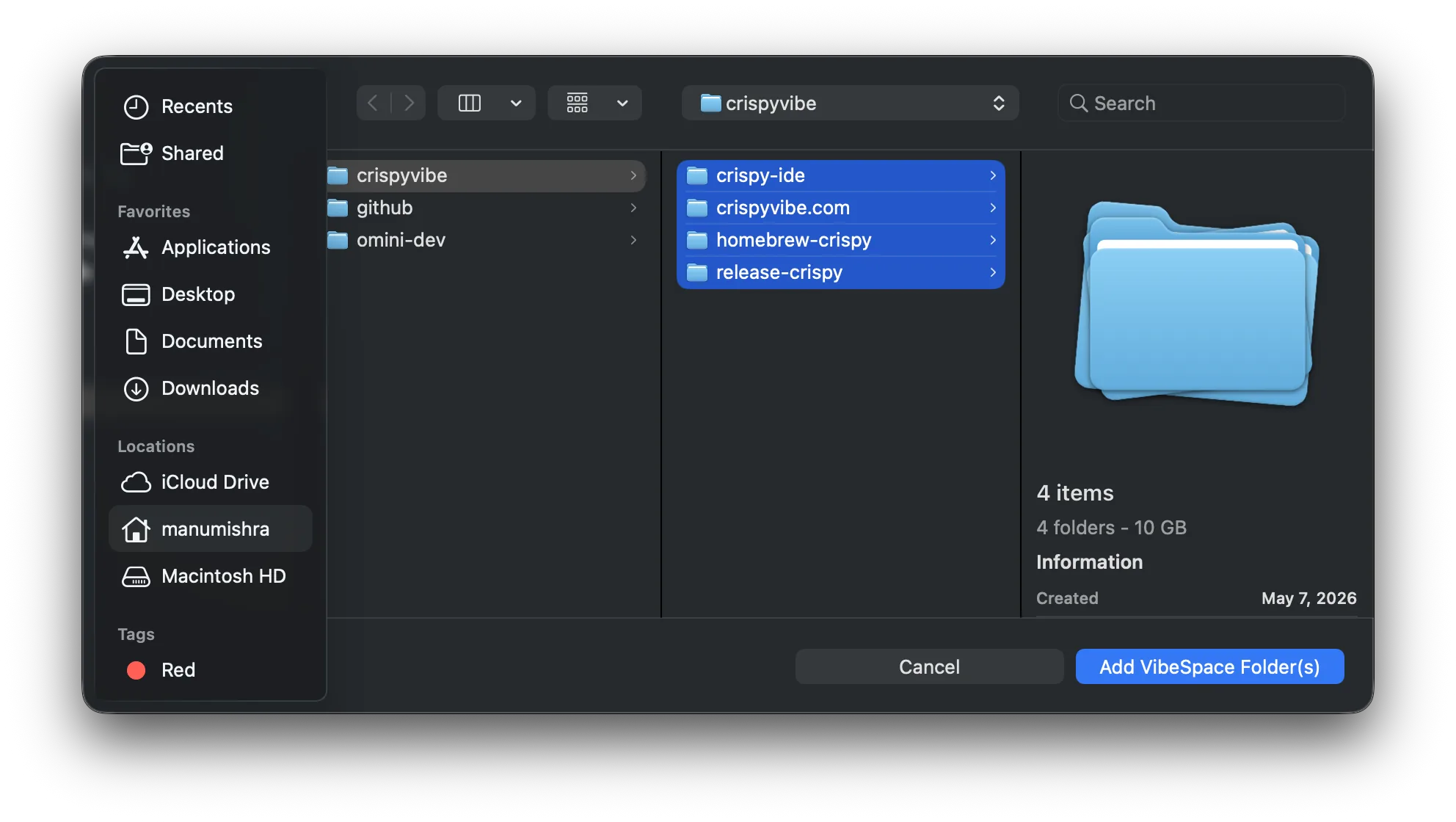
Local folders and SSH remote hosts in the same VibeSpace. Each project gets a distinct color, file explorer, git context, and terminal sessions.
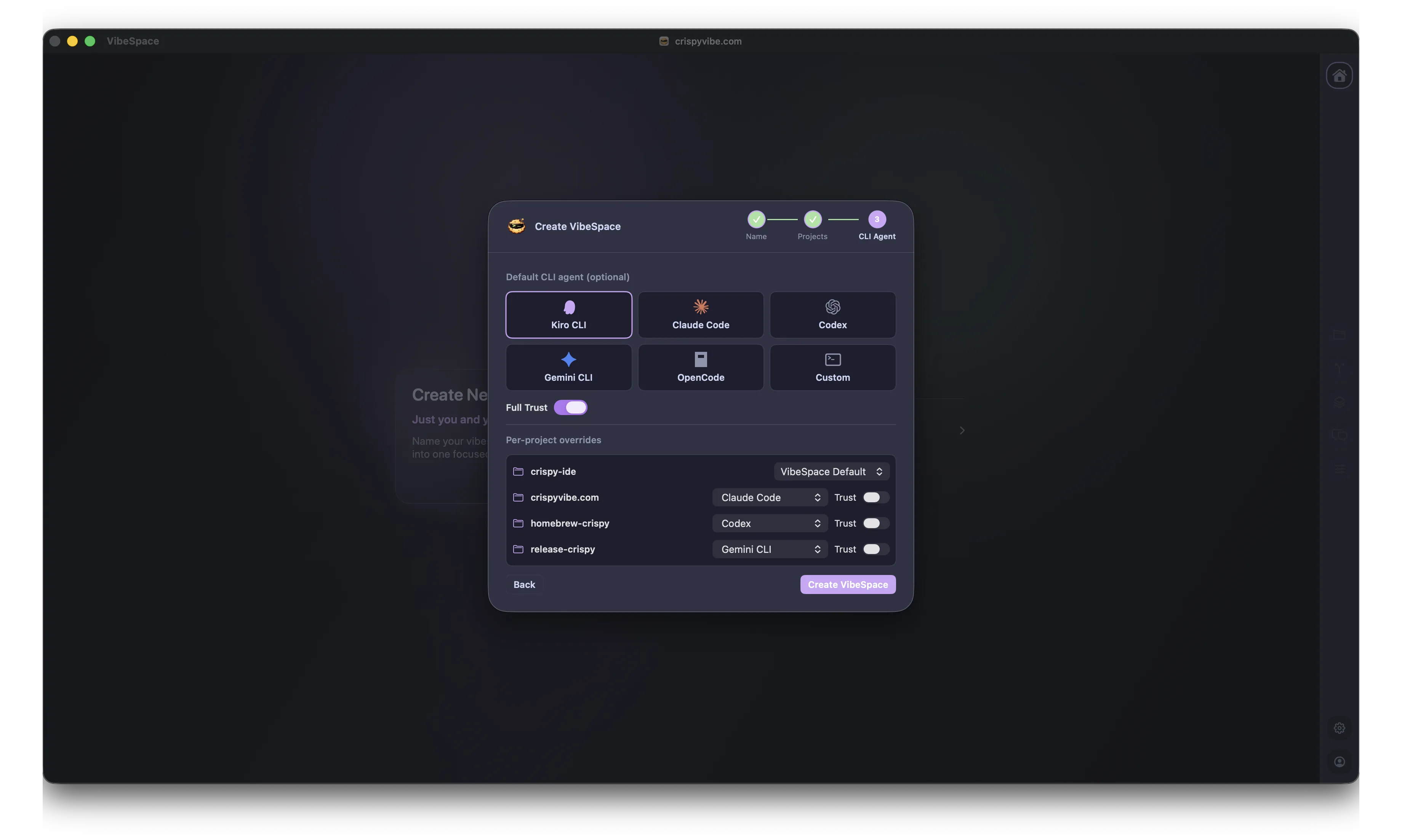
Select a default agent, override per project. CrispyVibe discovers installed agents from PATH. Terminal-based and ACP-structured agents both supported.
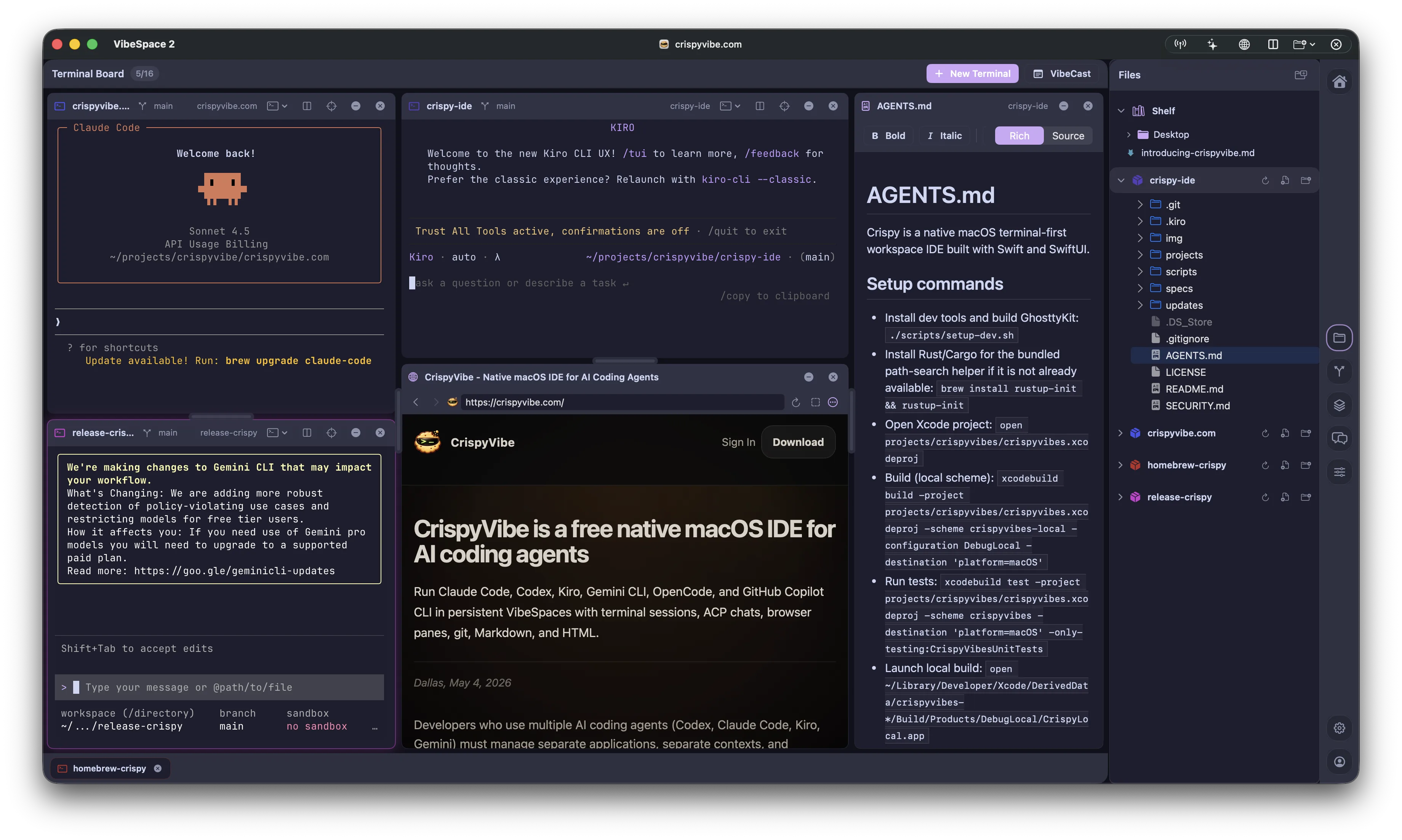
Terminal Board: a GPU-accelerated 4×4 grid. Terminals, browser panes, ACP agent chats, file previews, and VibeCast. Quit and sessions persist via tmux.
Built For Real Agent Work
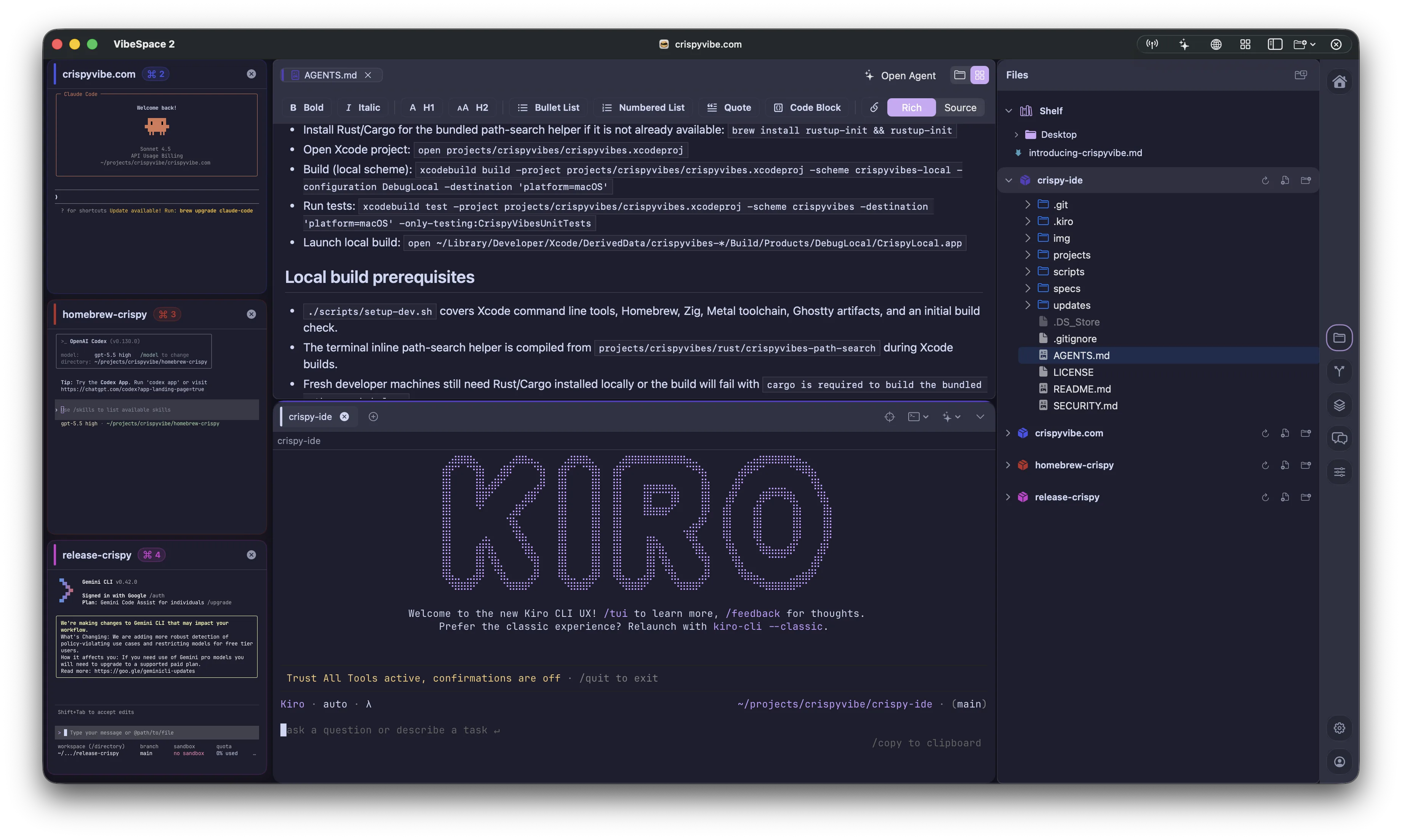
Switch from the terminal board into a detailed workspace with focused terminals, rendered Markdown, file browsing, Shelf items, and project context side by side.
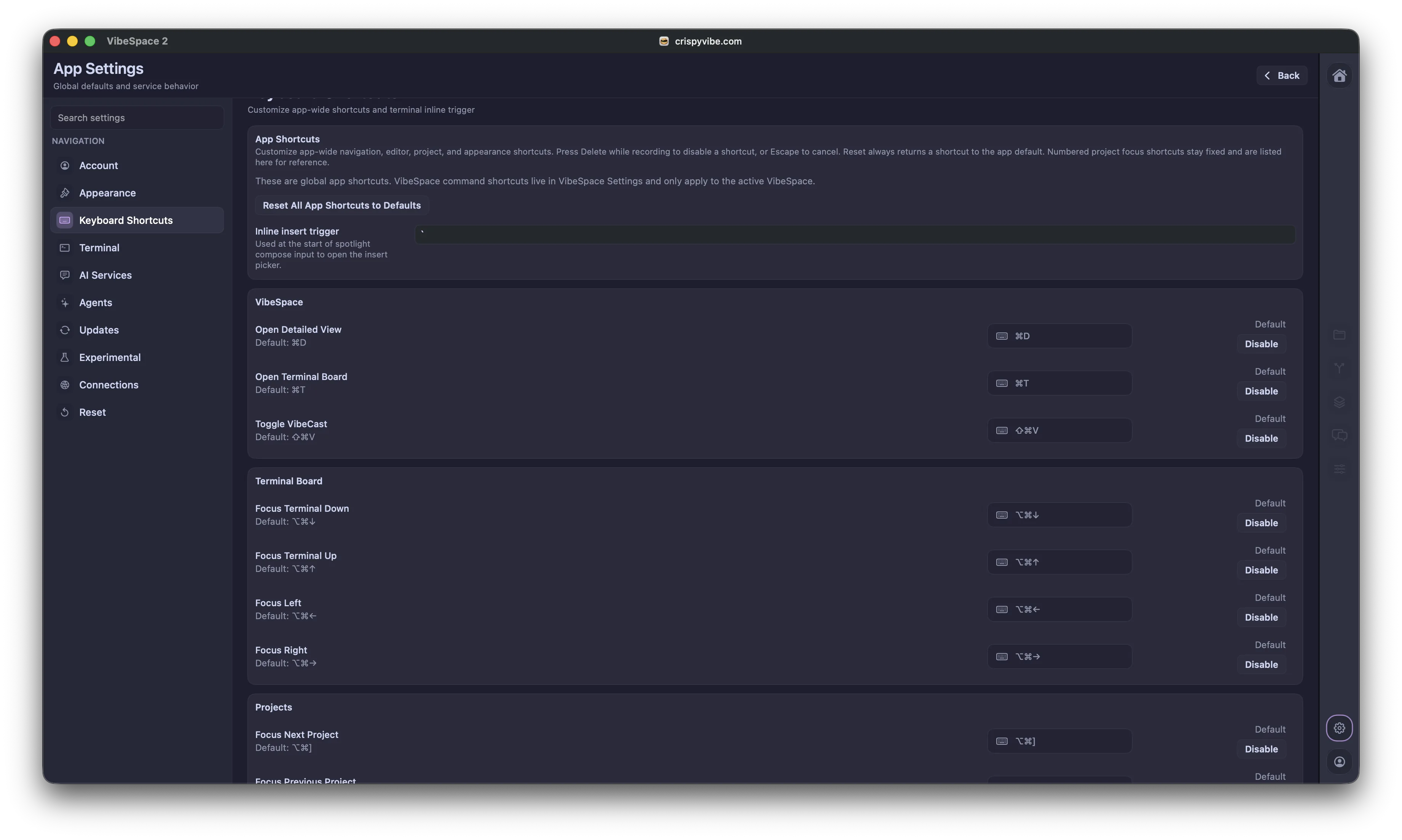
Customize app-wide navigation, VibeSpace commands, terminal board focus, project movement, and inline insert triggers from one settings surface.
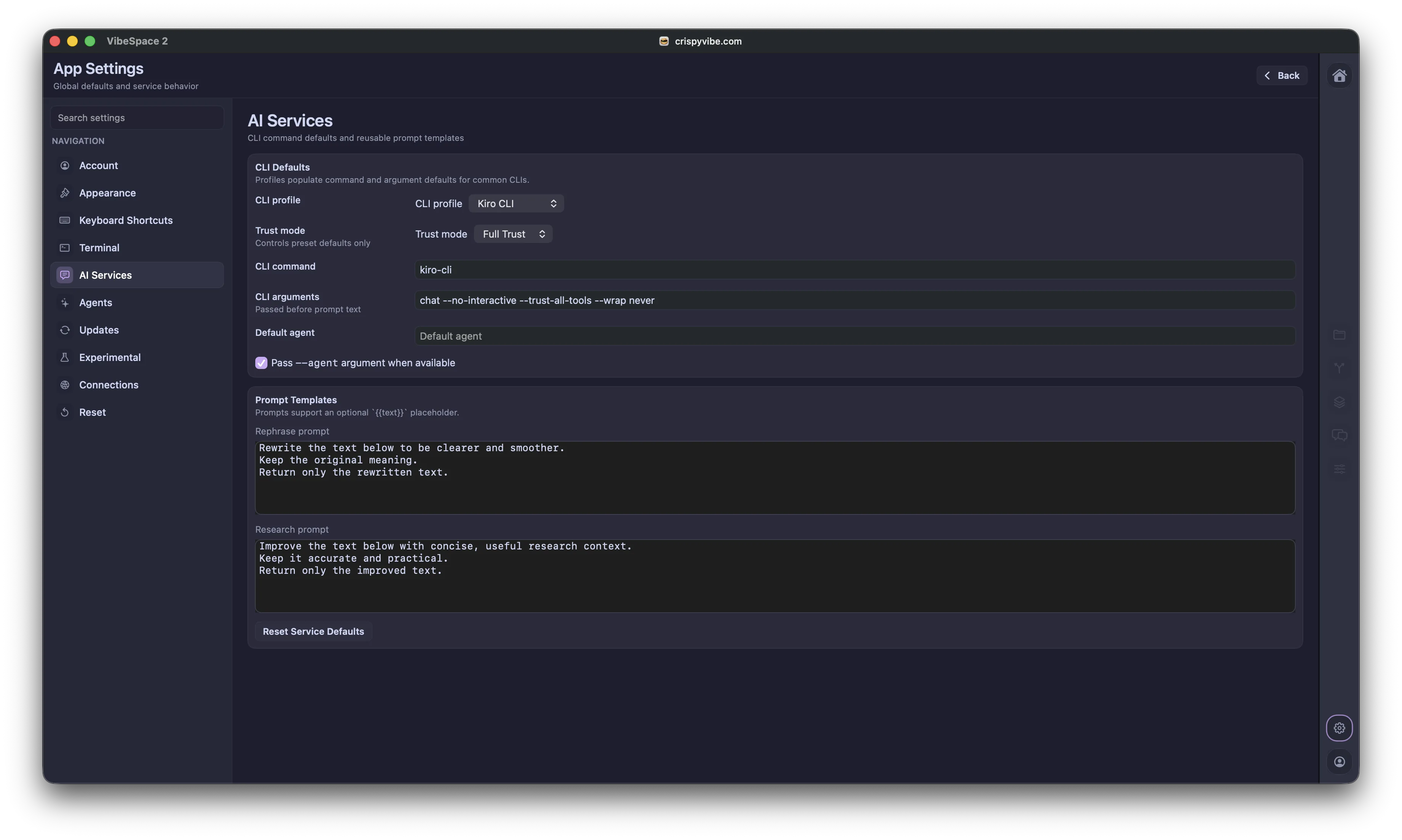
Use reusable rephrase and research prompts through macOS Services so selected text can be improved without switching back to the IDE.
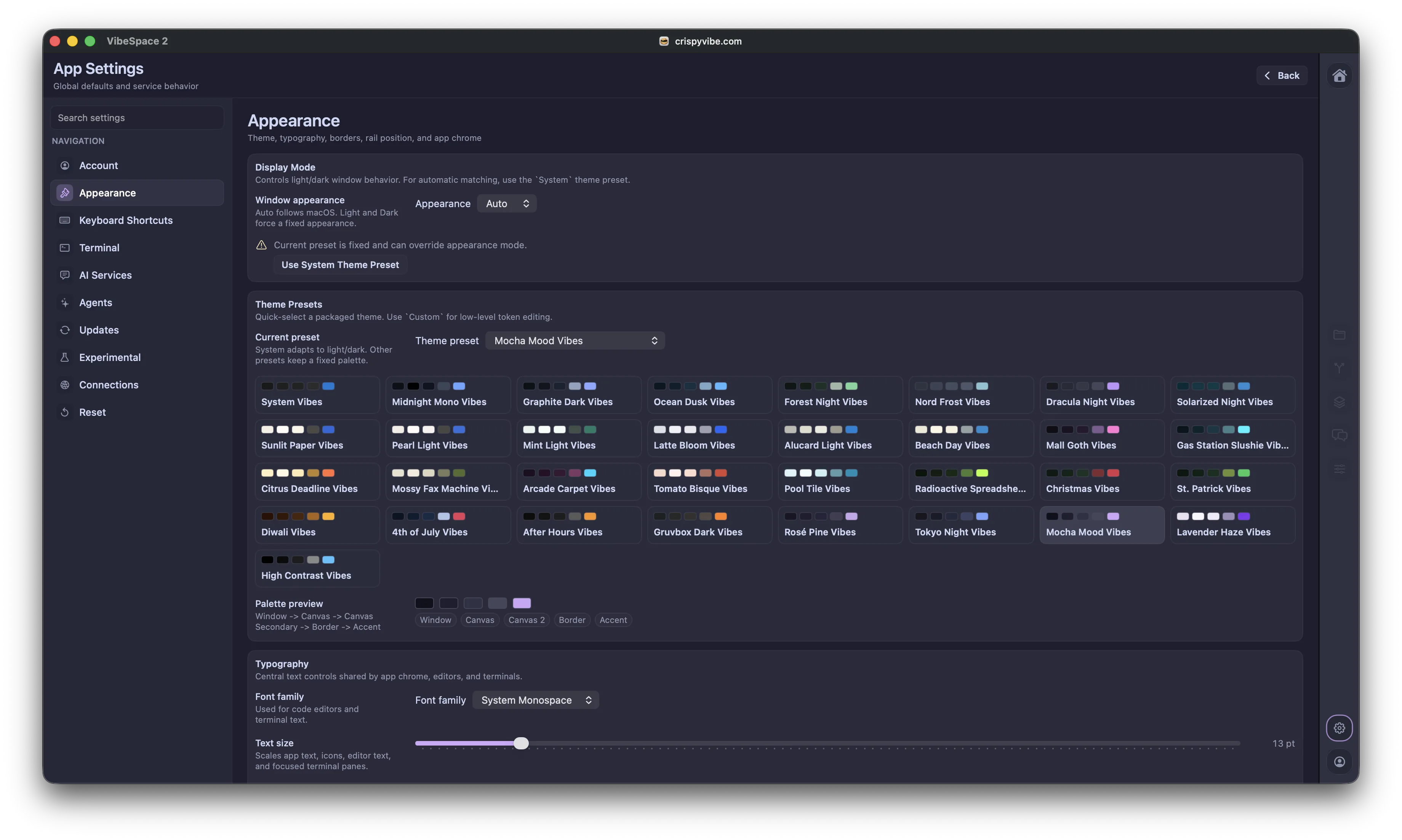
Choose from built-in theme presets, preview palettes, and tune typography so long coding sessions match the way you prefer to work.
FAQ
For Developers
Kiro CLI, Claude Code, Codex, Gemini CLI, OpenCode, and GitHub Copilot CLI out of the box. Custom agents can be added by specifying a command and arguments. ACP-compatible agents run as structured chat surfaces with streaming responses and tool-call UI. Terminal-based agents run in standard terminal tiles.
CrispyVibe is free with no paid tiers. A solo developer builds and funds it independently with help of community. There are no investors requiring a return, no token marketplace, and no server-side services to upsell.
No. CrispyVibe makes no network requests on its own except update checks via Sparkle (can be disabled).
VS Code forks inherit Electron's Chromium runtime (600MB to 1.2GB memory with typical workloads), then add AI features and token marketplaces. CrispyVibe is written from scratch in Swift with Metal GPU rendering (150 to 300MB typical). It supports multiple agents from different providers in one workspace without telemetry.
When enabled, every terminal session in CrispyVibe is backed by tmux. Quitting the app detaches sessions. Reopening reattaches them with full shell state and scrollback. A built-in tmux session browser shows active and orphaned sessions across workspaces allowing users to quickly preview whats inside a session.
SSH remote projects use the same file explorer, editor, terminal, and git surfaces as local projects within the same VibeSpace. Includes ControlMaster transport, SFTP, port forwarding, host key validation, and SSH config import.
Conversations persist per-workspace. Switching the default agent does not affect existing conversations. Each thread is tied to the agent that created it and remains searchable and resumable.
A unified per-project side panel that shows a project's files, git changes, and agent conversations in one place, with each project and git worktree as a collapsible row and the Shelf at the top. It is the default sidebar and has its own rail button; the classic Files, Git, Sessions, and Conversations tabs remain available.
Quick Todos & Sticky Notes capture tasks with a hotkey or a dedicated surface, scoped to a project or the VibeSpace, with rich-text notes and per-todo threads. They persist across launches and are scriptable from the crispy CLI.
Documents and Authoring
LaTeX files open with three tabs: a live WYSIWYG view with KaTeX-typeset math, the raw source, and a fully compiled PDF rendered by your own local TeX engine (BasicTeX or MacTeX). The PDF tab supports double-click on-page editing via SyncTeX and inline comments. Compilation is entirely local and offline, with multi-pass cross-reference and BibTeX resolution. Typst, AsciiDoc, and Graphviz files also get a live local preview next to their source.
CrispyVibe opens .ipynb notebooks with editable cells and inline comments, running against a local Jupyter or against a remote host over SSH using a forwarded loopback port. It needs Jupyter and Python on whichever machine runs the kernel.
Offline Excalidraw whiteboards are built in. New whiteboards start in the Shelf as drafts and can be dragged into a project. Everything renders and persists locally.
Technical Details
Metal GPU rendering for terminals, WebKit for browser panes, SwiftUI for UI. A native Swift app uses a fraction of the memory of Electron.
CrispyVibe embeds GhosttyKit, the library behind the Ghostty terminal emulator, for Metal-accelerated terminal rendering. Terminal content is rendered on the GPU, resulting in low-latency input and minimal CPU usage at high throughput. SwiftTerm is included as a fallback. Developers can switch between engines in Settings.
A VibeSpace persists: project list, board layout, editor sessions, agent conversations, browser state, git context, theme, and pane sizes. All data is stored locally and signed with HMAC-SHA256 for integrity verification.
A compose surface for sending text to one terminal or broadcasting to all active sessions simultaneously. Supports rephrase via a configured CLI tool before sending.
A persistent pinned-files section at the top of the Files sidebar. Files added to Shelf stay across launches, receive files opened from Finder or external sources, and sync with the active content viewer.
CrispyVibe renders Markdown and HTML in place and supports direct editing of the rendered view. Developers read and edit documents as they appear, formatted with images and links, without switching to source mode.
An AI-powered overlay at the top of each terminal that summarizes what the developer is currently doing, generated on-device using Apple's Foundation Models framework. Requires macOS 26+. Falls back to displaying the last command when unavailable.
A settings panel for configuring CLI agent defaults and reusable prompt templates. Developers set a CLI profile, trust mode, command arguments, and default agent. Prompt templates power VibeCast's rephrase feature and macOS Services menu integration.
The application code is open source. The project also publishes the full engineering process: every feature ships with a spec, technical design, threat model, and usage guide (200+ documents). Contributors propose features by writing specs and extending threat models before implementation begins.
Each feature is developed against four documents: a spec, a technical design, a threat model, and a usage guide. The repository also publishes ADRs, NFRs, and learnings from audits. Contributors can trace every decision from proposal through implementation.
Get started
Create a VibeSpace, add your projects, pick your agents. Free, native, no account required.